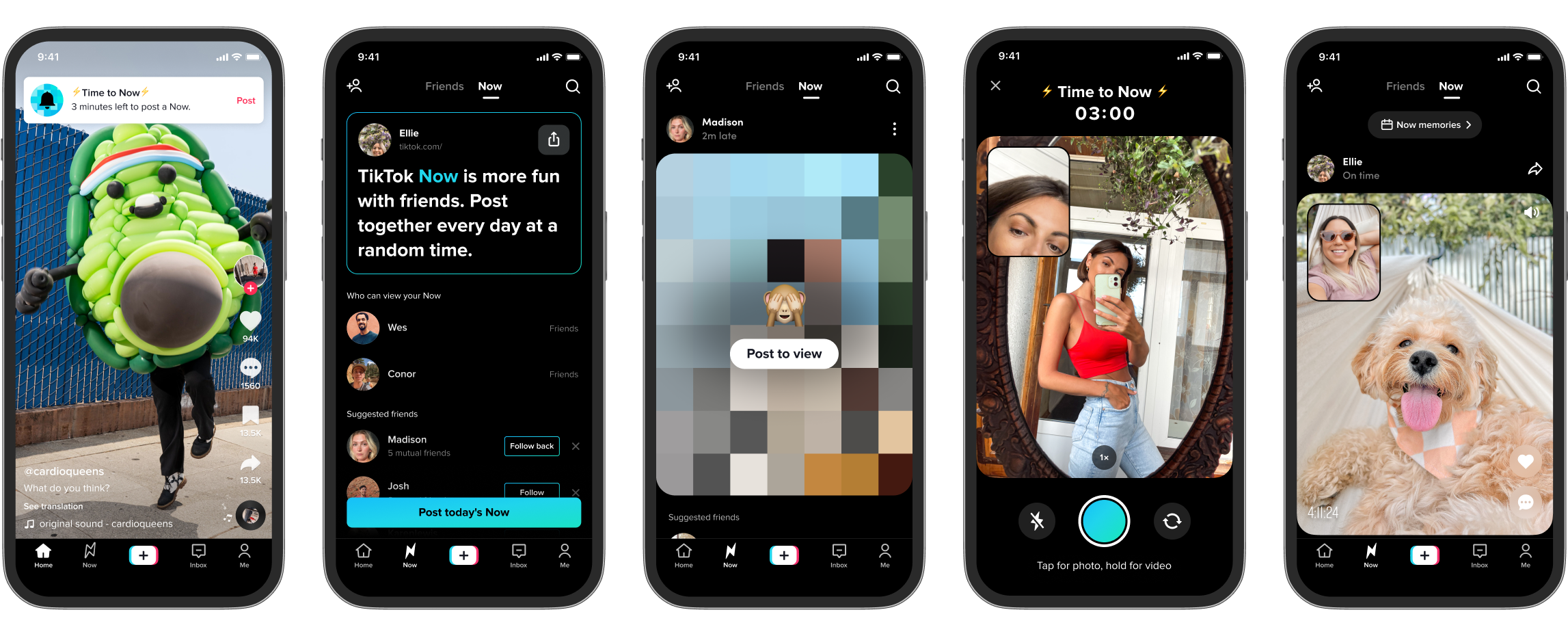
Level Up Your Tik Tok Game: The Ultimate Guide to Live Stream Apps
Hey there, Tik Tok enthusiasts! Ever feel like your live streams are missing that certainsomething? Like, you're pouring your heart out, showcasing your amazing talent, or just vibing with your followers, but it's all...a little flat? We've all been there. You see those other Tik Tokers with their fancy graphics, interactive games, and crystal-clear audio, and you can't help but wonder, "What's their secret?"
Well, guess what? The secret is out! It’s not magic, and it’s not some hidden Tik Tok algorithm hack. It's all about the apps, baby! That's right, just like your phone is way more than just a phone thanks to all those incredible apps, your Tik Tok live streams can be infinitely more engaging, entertaining, and, dare we say,professionalwith the right tools.
Think of it this way:you wouldn't try to bake a cake without an oven, right? Or paint a masterpiece without brushes? Same goes for live streaming. You've got the talent, the personality, and the passion – now it's time to equip yourself with the apps that will take your streams from zero to hero. We’re talking about overlays that pop, sound effects that make your audience LOL, and even games that get everyone involved. Imagine quizzes, polls, and even virtual gifts raining down on you – all thanks to a few clever apps.
But here's the thing: navigating the world of Tik Tok live stream apps can be a little…overwhelming. There are so many options out there, all promising to be theultimategame-changer. How do you know which ones are actually worth your time and money? Which ones are user-friendly, and which ones will leave you pulling your hair out in frustration? And, most importantly, which ones will actually help you achieve your live stream goals, whether that's boosting engagement, growing your following, or simply having more fun?
That's where we come in. This isn't just another list of apps. We're diving deep, exploring the best Tik Tok live stream apps on the market right now. We're talking about features, pricing, pros, cons, and everything in between. We'll even share some insider tips and tricks to help you get the most out of each app. We’ll see how these apps can not only enhance the quality of your broadcasts but also help you connect with your audience in ways you never thought possible.
Ready to transform your Tik Tok live streams into something truly spectacular? Keep reading, friends, because we're about to unlock the secrets to live stream success!
Unlocking the Power of Tik Tok Live Apps
Let's be honest, going live on Tik Tok can be a bit like stepping onto a stage with a single spotlight. It's you, your phone, and hopefully a captivated audience. But what if you could transform that bare stage into a dazzling spectacle? That's where Tik Tok Live Apps come into play. They're the stagehands, the lighting crew, and the special effects team all rolled into one digital package.
These apps offer a range of features designed to elevate your live streams and make them more engaging for your viewers. From adding custom overlays and graphics to incorporating interactive elements like polls and Q&A sessions, the possibilities are endless. But with so many apps available, it's important to choose the right ones for your specific needs and goals. Let's explore some key areas where these apps can make a real difference:
• Elevated Visuals: Overlays, Graphics, and Effects: Let's face it, aesthetics matter. A visually appealing live stream is more likely to capture and hold viewers' attention. Think about those cooking shows with perfectly styled food or those gaming streams with eye-catching overlays. Tik Tok Live Apps can help you achieve a similar level of polish by allowing you to add custom overlays, graphics, and effects to your streams. These could include your username, social media handles, a progress bar for challenges, or even animated effects that react to viewer interactions. For example, imagine running a fundraising stream and having a graphic that dynamically updates with the total amount raised as viewers donate. It adds a visual element of excitement and encourages further participation. Apps like Streamlabs Mobile and Larix Broadcaster are great examples here, allowing you to import custom graphics and create professional-looking layouts.
• Sound Matters: Audio Enhancement and Sound Effects: Clear audio is non-negotiable for a successful live stream. No one wants to listen to a stream with static, background noise, or muffled voices. Tik Tok Live Apps can help you improve your audio quality by providing features like noise reduction, audio equalization, and even sound effects. Imagine using a sound effect to celebrate a new follower or to react to a funny comment. It adds a playful element to your stream and makes it more engaging for your audience. Consider apps like Voicemod, which, while primarily for voice changing, can also be used to add fun sound effects to your streams, or audio editing apps like Dolby On, which provides noise reduction to optimize your sound before a live.
• Interactive Engagement: Polls, Q&A, and Games: Live streaming is all about interaction, and Tik Tok Live Apps can help you foster a stronger connection with your viewers. These apps often include features like polls, Q&A sessions, and even mini-games that you can play with your audience in real-time. Imagine running a poll to ask your viewers what topic they want you to discuss next or hosting a Q&A session to answer their burning questions. You can even use apps to create simple games like trivia or "guess the song" to keep your audience entertained. Polls Everywhere is a good shout for, well, creating polls, or check out Quizizz if you're looking to create a quick quiz.
• Stream Management: Moderation Tools and Analytics: Managing a live stream can be a handful, especially when you have a large audience. Tik Tok Live Apps can help you streamline the process by providing moderation tools and analytics. Moderation tools allow you to block or mute disruptive viewers, while analytics provide insights into your stream's performance, such as the number of viewers, the average watch time, and the level of engagement. This data can help you understand what's working and what's not, so you can optimize your streams for better results. While not directly within Tik Tok, tools like Stream Hatchet can provide insightful analytics, and you can easily use a second device to access Tik Tok's moderation tools.
• Cross-Platform Streaming: Reaching a Wider Audience: Why limit yourself to just Tik Tok? Some Tik Tok Live Apps allow you to stream to multiple platforms simultaneously, such as You Tube, Twitch, and Facebook Live. This can help you reach a wider audience and grow your following faster. Imagine streaming your Tik Tok content to You Tube, where you could potentially reach a whole new demographic. Apps like Restream and Stream Yard make this possible, allowing you to manage multiple streams from a single platform.
Choosing the Right Apps: A Practical Guide
Okay, so you're sold on the idea of using Tik Tok Live Apps to enhance your streams. But with so many options to choose from, how do you decide which ones are right for you? Here are a few factors to consider:
• Identify Your Needs: What are you hoping to achieve with your live streams? Do you want to improve your visuals, enhance your audio, increase engagement, or reach a wider audience? Once you have a clear understanding of your needs, you can narrow down your search for apps that offer the specific features you're looking for. For example, if your main goal is to improve your audio quality, you might focus on apps with noise reduction and audio equalization features.
• Consider Your Budget: Tik Tok Live Apps come in a range of prices, from free to subscription-based. Some apps offer a free trial period, so you can test them out before committing to a paid plan. Be sure to consider your budget when choosing apps, and don't be afraid to start with free options and upgrade as your needs evolve.
• Read Reviews and Ratings: Before downloading an app, take the time to read reviews and ratings from other users. This can give you valuable insights into the app's usability, reliability, and overall performance. Pay attention to both positive and negative reviews, and look for patterns in the feedback.
• Test Before You Stream: Once you've chosen an app, take the time to test it out before you go live. This will allow you to familiarize yourself with the app's features and ensure that everything is working properly. You can even do a test stream with a small group of friends to get feedback on your setup.
• Compatibility: Ensure the app you select is compatible with your device (i OS or Android) and your current Tik Tok setup. Check the app's specifications and reviews to confirm compatibility before you download and install it. This will prevent potential technical issues during your live streams.
Examples of Popular Tik Tok Live Apps
To give you a head start, here's a rundown of some popular Tik Tok Live Apps and their key features:
• Streamlabs Mobile: A powerhouse for mobile streamers, Streamlabs Mobile provides a plethora of tools to enhance your live broadcasts. It offers custom overlays, alerts for follows and donations, chat integration, and the ability to stream to multiple platforms simultaneously. With Streamlabs Mobile, you can create a professional-looking broadcast directly from your smartphone, elevating your content and keeping your audience engaged. Its cross-platform streaming capabilities and user-friendly interface make it a top choice for streamers looking to expand their reach and simplify their workflow.
• Larix Broadcaster: Larix Broadcaster is a versatile live streaming application known for its robust features and customizability. It supports multiple protocols such as SRT, RTMP, and RTSP, allowing you to stream to a variety of platforms with ease. With Larix Broadcaster, you have precise control over video and audio settings, ensuring optimal quality and performance. The app's advanced features, including secure streaming and support for external microphones and cameras, make it a valuable tool for professional broadcasters and content creators who require reliable and high-quality streaming capabilities.
• Voicemod: Voicemod is a real-time voice changer and soundboard that adds a fun and creative twist to your live streams. With Voicemod, you can transform your voice into various characters, add sound effects, and create unique audio experiences for your audience. Its seamless integration with popular streaming platforms makes it easy to incorporate into your broadcasts. Whether you're looking to entertain, engage, or simply have fun with your viewers, Voicemod provides a versatile toolkit for enhancing your audio presence and making your live streams more memorable.
• Restream: Restream is a multi-streaming platform that allows you to broadcast your live content to multiple platforms simultaneously, expanding your reach and growing your audience. With Restream, you can stream to platforms such as Twitch, You Tube, Facebook, and more, all from a single interface. The platform offers features like chat integration, analytics, and custom branding options, making it a comprehensive solution for streamers looking to maximize their visibility and engagement. Restream simplifies the multi-streaming process, enabling you to connect with viewers on multiple platforms and build a broader community around your content.
Tips and Tricks for Maximizing App Usage
Now that you've chosen your apps, here are some tips and tricks to help you get the most out of them:
• Keep it Simple: Don't overload your stream with too many effects or graphics. A clean and uncluttered stream is more visually appealing and easier to watch. Less is often more, especially when it comes to visual elements. Focus on quality over quantity to keep your audience engaged without overwhelming them.
• Test Your Setup: Before you go live, always test your setup to make sure everything is working properly. This includes your audio, video, and any apps you're using. There's nothing worse than technical difficulties derailing your stream. Perform a trial run to iron out any issues and ensure a smooth broadcasting experience.
• Engage with Your Audience: Use the interactive features of your apps to engage with your audience. Ask questions, run polls, and respond to comments. The more you interact with your viewers, the more likely they are to stick around and become loyal fans.
• Promote Your Streams: Let your followers know when you're going live by promoting your streams on social media. Use eye-catching graphics and compelling descriptions to entice people to tune in. A well-promoted stream can attract new viewers and boost your overall engagement.
• Analyze Your Results: Use the analytics provided by your apps to track your stream's performance. This will help you understand what's working and what's not, so you can optimize your streams for better results. Pay attention to metrics like viewer count, engagement rate, and peak viewership to fine-tune your content and strategies.
Frequently Asked Questions
Q: Are Tik Tok Live Apps safe to use?
A: Most reputable Tik Tok Live Apps are safe to use, but it's always a good idea to do your research before downloading an app. Read reviews, check the app's permissions, and make sure it comes from a trusted source. Avoid downloading apps from unofficial sources, as they may contain malware.
Q: Do I need a powerful phone to use Tik Tok Live Apps?
A: While a powerful phone can certainly help, you don't necessarily need the latest and greatest model to use Tik Tok Live Apps. However, it's important to make sure your phone meets the app's minimum requirements. Using apps that have high requirements can result in lag or poor performance during your streams.
Q: Can I use Tik Tok Live Apps on a computer?
A: Some Tik Tok Live Apps are available for both mobile devices and computers, while others are exclusively designed for mobile. Check the app's specifications to see if it's compatible with your computer. Consider using an emulator to run mobile-only apps on your computer if needed.
Q: Are there any risks associated with using Tik Tok Live Apps?
A: The main risk associated with using Tik Tok Live Apps is the potential for technical difficulties. An app might crash, freeze, or cause other issues during your stream, which can be disruptive and frustrating. To minimize this risk, always test your setup before you go live and make sure your phone is running the latest software updates.
In conclusion, Tik Tok Live Apps can be powerful tools for enhancing your live streams and engaging with your audience. By choosing the right apps and using them effectively, you can take your streams to the next level and grow your following. Ready to take the plunge? Experiment with different apps, find what works best for you, and unleash your inner live stream superstar!
So, friends, we've journeyed through the exciting world of Tik Tok Live Apps, uncovering the secrets to enhancing your streams and captivating your audience. We've explored the power of visual effects, audio enhancements, interactive elements, and streamlined management tools. Now it's time to put this knowledge into action!
Your next step is clear: Experiment with a few of the apps mentioned in this article! Download the free versions (if available), test them out during a practice stream, and see which ones resonate with your style and audience. Don't be afraid to get creative and try new things. The beauty of Tik Tok is its ever-evolving nature, so embrace the experimentation and discover what makes your streams truly unique.
Transform your Tik Tok live streams, captivate your audience, and unlock your full potential. Let's see what amazing content you can create!
