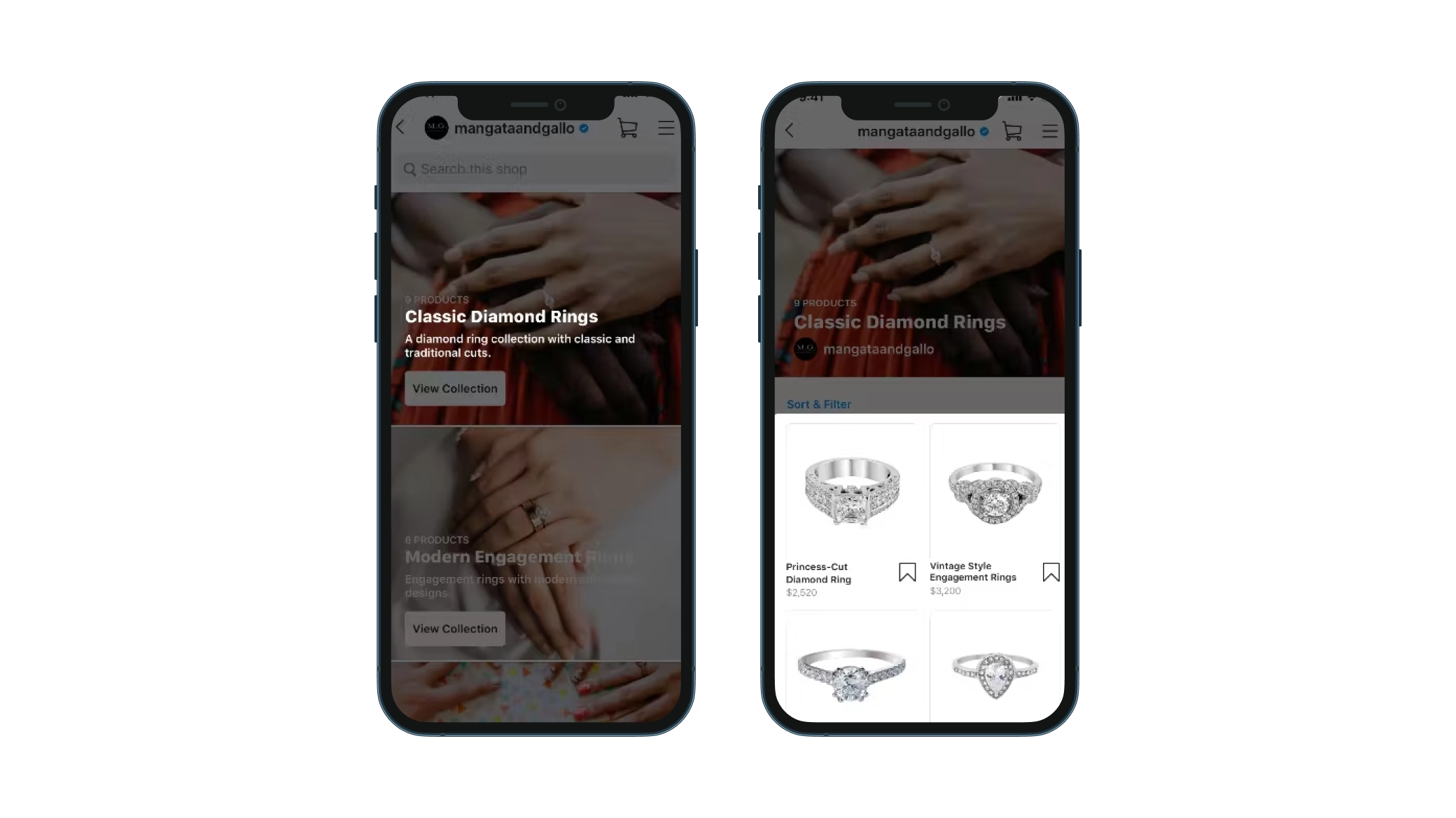
Unlock Your Sales Potential: A Step-by-Step Guide to Instagram Shopping
Hey there, savvy entrepreneurs and social media maestros! Ever scrolled through Instagram, drooling over a gorgeous dress or a quirky gadget, only to be met with the frustrating dead end of a picture? No link, no price, just pure, unadulterated longing. We've all been there. It’s like being shown a delicious cake through a window, but the door is locked! That, my friends, is a missed opportunity for businesses, and a major annoyance for us, the eager shoppers.
But what if I told you there was a way to turn those tempting images into tangible sales, transforming your Instagram feed from a pretty picture gallery into a powerful revenue-generating machine? That's the magic of Instagram Shopping! Imagine your followers seamlessly transitioning from admiring your products to adding them to their carts, all without ever leaving the app. Sounds dreamy, right?
Now, I know what you might be thinking: "Instagram Shopping? Sounds complicated! I'm not a tech wizard!" Fear not, because you absolutely don't need to be. Setting up Instagram Shopping might seem daunting at first, but with the right guidance, it's surprisingly straightforward. Think of it like assembling IKEA furniture – a little patience, a clear instruction manual (that's what this is!), and you'll be showing off your masterpiece in no time.
We're living in a world where social media is king, and Instagram is its shining jewel. Millions of people are already using the platform to discover and purchase products. In fact, studies show that a HUGE percentage of Instagram users follow at least one business account. That's a massive pool of potential customers just waiting to be tapped! Ignoring Instagram Shopping is like leaving money on the table, or worse, handing it over to your competitors.
But before you dive headfirst into the world of shoppable posts and product stickers, there are a few crucial steps to take. Getting it right from the start ensures a smooth setup process and maximizes your chances of success. We’re talking about things like making sure your business is eligible, connecting your Instagram account to a Facebook catalog, and understanding the different types of shopping features available.
This guide isn't just another generic tutorial filled with jargon and confusing screenshots. We’re going to break it down, step-by-step, using plain English and real-world examples. We'll cover everything from the initial setup to optimizing your product listings for maximum visibility. We’ll even touch on some common pitfalls to avoid, saving you time, headaches, and potential frustrations. Think of this as your friendly, neighborhood Instagram Shopping guru, here to guide you through the process.
So, grab your favorite beverage, settle in, and prepare to unlock the secrets to selling success on Instagram. By the end of this guide, you'll be equipped with the knowledge and confidence to transform your Instagram feed into a thriving online storefront. Are you ready to turn your followers into customers? Let's get started!
Setting the Stage: Are You Ready to Sell?
Before we get into the nitty-gritty of setting up Instagram Shopping, let's make sure you're actually eligible. Not everyone can just slap a "Shop Now" button on their profile and call it a day. Instagram, owned by Meta, has certain requirements that you need to meet. Think of it as getting your passport stamped before you can travel to Salesville.
•Business Profile is a Must: You can't sell directly from a personal Instagram account. You need to have a business profile. This gives you access to valuable features like analytics, contact buttons, and, of course, the ability to set up shopping. Switching is easy – just go to your settings and select "Switch to Professional Account," then choose Business.• Playing by the Rules: Instagram's Commerce Policies: Make sure you're selling products that comply with Instagram's commerce policies. No illegal substances, hate speech, or misleading claims allowed. Think of it like this: if it's not something you could sell in a reputable brick-and-mortar store, it's probably not allowed on Instagram either.
•Location, Location, Location:Instagram Shopping is available in many countries, but not all. Double-check that your business is located in a supported market. You can find a list of eligible countries on the Instagram Business Help Center.
•Linked to a Facebook Catalog:This is a big one. Instagram Shopping relies on your product information being stored in a Facebook catalog. You can create and manage this catalog through Facebook Business Manager or through supported e-commerce platforms.
•Product Tagging Power:Instagram Shopping allows you to tag physical products only. This means you can't sell services, digital downloads, or virtual products directly through shoppable posts.
Creating Your Facebook Catalog: The Product Database
Your Facebook catalog is essentially your online product database. It's where you store all the information about the items you want to sell on Instagram, including names, descriptions, prices, and images. Think of it as the inventory list for your Instagram shop.
•Choosing Your Weapon: Facebook Business Manager or E-commerce Platform? You have two main options for creating and managing your Facebook catalog. The first is through Facebook Business Manager, which is a free tool provided by Facebook. The second is to connect your existing e-commerce platform (like Shopify, Woo Commerce, or Big Commerce) to Facebook. Each option has its pros and cons.
◦ Facebook Business Manager: This is a good option if you're just starting out or if you don't already have an e-commerce platform. It's free and relatively easy to use, but it can be time-consuming to manually enter all your product information.
◦ E-commerce Platform Integration: If you already have an online store, connecting it to Facebook is often the easier option. Your product information will automatically sync between your store and your Facebook catalog, saving you a ton of time and effort.
•Populating Your Catalog:Adding Products Like a Pro: Whether you choose Facebook Business Manager or an e-commerce platform, you'll need to add your products to your catalog. Make sure to include high-quality images, accurate descriptions, and the correct prices. Think of each product listing as a mini-advertisement for your item. The more informative and appealing it is, the more likely people are to buy it.
•Following Best Practices:Image Perfection & Detailed Descriptions: Use high-resolution images that showcase your products in the best possible light. Write detailed descriptions that highlight the key features and benefits of each item. Include relevant keywords to help people find your products when they search on Instagram.
•Categorizing Your Products:Organization is Key: Organize your products into categories to make it easier for customers to browse your catalog. Think about how people would naturally search for your items and create categories accordingly.
Connecting Your Catalog to Instagram: The Bridge to Sales

Once you've created your Facebook catalog, you need to connect it to your Instagram business profile. This allows Instagram to access your product information and display it in your shoppable posts and stories. Think of it as building a bridge between your product database and your Instagram storefront.
•Navigating the Settings:Instagram's Shopping Feature: In your Instagram app, go to your business profile settings and look for the "Shopping" option. If you don't see it, it means your account hasn't been approved for Instagram Shopping yet (more on that later).
•Selecting Your Catalog:Choosing the Right Database: Once you find the "Shopping" option, you'll be prompted to connect your Facebook catalog. Choose the catalog that contains the products you want to sell on Instagram.
•Patience is a Virtue:Waiting for Approval: After you connect your catalog, Instagram will need to review your account and catalog to make sure everything meets their requirements. This process can take a few days, so be patient.
•Troubleshooting Approval Issues:What to Do If You're Rejected: If your account is rejected, don't panic! Instagram will usually tell you why. Common reasons include not meeting the eligibility requirements, selling prohibited products, or having inaccurate product information. Fix the issues and resubmit your account for review.
Tagging Products in Posts and Stories: Making Your Content Shoppable
Now for the fun part! Once your account is approved, you can start tagging products in your Instagram posts and stories. This is what makes your content shoppable and allows your followers to easily purchase your items. Think of it as sprinkling magic dust on your images and videos, turning them into instant sales opportunities.
•Tagging in Posts:The Classic Approach: When creating a new post, you'll see a "Tag Products" option. Tap on it and start typing the name of the product you want to tag. A list of matching products from your catalog will appear. Select the correct product and position the tag on the image. You can tag multiple products in a single post.
•Tagging in Stories:Adding a Sense of Urgency: In Instagram Stories, you can use product stickers to tag products. These stickers are more visually prominent than tags in posts and can help to grab attention. You can customize the appearance of the stickers to match your brand.
•Creating Engaging Content:Showcasing Products in Action: Don't just tag products randomly. Create engaging content that showcases your products in action. Show people how to use them, highlight their benefits, and tell stories that resonate with your audience. Think of your Instagram feed as a lifestyle magazine, not just a product catalog.
•Using Shoppable Stickers in Stories:Drive Direct Sales: Utilize shoppable stickers effectively by adding compelling text or calls to action that encourage viewers to click. For example, "Shop Now!" or "Limited Time Offer!" can create a sense of urgency and drive immediate sales.
Optimizing Your Instagram Shop: Leveling Up Your Sales Game

Setting up Instagram Shopping is just the first step. To truly maximize your sales potential, you need to optimize your shop for visibility and conversions. Think of it as fine-tuning your engine to get the best possible performance.
•Crafting Compelling Product Descriptions:Sell the Dream: Don't just list the features of your products. Tell a story about them. Highlight the benefits they offer and how they can improve people's lives. Use persuasive language and create a sense of desire.
•Using High-Quality Images:Visual Appeal is Key: Invest in professional-quality images that showcase your products in the best possible light. Use different angles, lighting, and backgrounds to create visually appealing content.
•Leveraging Instagram Shopping Insights:Tracking Your Performance: Instagram provides detailed analytics on your shopping activity. Use these insights to track your performance, identify your best-selling products, and optimize your strategy. Pay attention to metrics like product views, clicks, and purchases.
•Promoting Your Shop:Let People Know You're Open for Business: Don't assume that people will automatically find your Instagram shop. Promote it! Use hashtags, run ads, and collaborate with influencers to reach a wider audience. Let your followers know that they can now shop directly from your Instagram feed.
•Run Targeted Ads:Utilize Instagram's advertising platform to run targeted ads that promote your products to specific demographics and interests. This can significantly increase your reach and drive traffic to your product pages.
•Collaborate with Influencers:Partner with relevant influencers who can showcase your products to their followers. Influencer marketing can be a highly effective way to build brand awareness and drive sales.
Case Studies: Real-World Success Stories
Let's take a look at some real-world examples of businesses that have successfully used Instagram Shopping to boost their sales. These case studies will give you inspiration and demonstrate the power of this platform.
•Clothing Boutique:A small clothing boutique used Instagram Shopping to showcase its latest arrivals. By tagging products in their posts and stories, they made it easy for their followers to purchase the items they saw. As a result, their online sales increased significantly.
•Home Decor Brand:A home decor brand used Instagram Shopping to create a visually appealing storefront. They used high-quality images and detailed product descriptions to showcase their products. They also ran targeted ads to reach new customers. Their Instagram shop quickly became a major source of revenue.
•Food Company:A small gourmet food company used Instagram Shopping to sell its products directly to consumers. They created mouthwatering posts and stories that showcased their products. They also offered exclusive discounts to their Instagram followers. Their Instagram shop helped them to expand their reach and grow their business.
Avoiding Common Pitfalls: Learning from Mistakes
While setting up Instagram Shopping is relatively straightforward, there are some common pitfalls to avoid. By learning from the mistakes of others, you can ensure a smoother and more successful experience.
•Ignoring Mobile Optimization:Make sure your website and product pages are optimized for mobile devices. Many people will be accessing your Instagram shop from their smartphones, so it's crucial that your site is easy to navigate and use on mobile.
•Neglecting Customer Service:Provide excellent customer service to your Instagram shoppers. Respond to questions promptly, handle complaints professionally, and offer a seamless returns process. Happy customers are more likely to become repeat customers.
•Underestimating the Power of Visuals:Instagram is a visual platform, so don't underestimate the importance of high-quality images and videos. Invest in professional photography and videography to showcase your products in the best possible light.
•Not Tracking Your Results:Monitor your Instagram Shopping analytics to track your performance and identify areas for improvement. Pay attention to metrics like product views, clicks, and purchases. Use this data to optimize your strategy and maximize your results.
Future Trends in Instagram Shopping: Staying Ahead of the Curve

The world of e-commerce is constantly evolving, and Instagram Shopping is no exception. Here are some future trends to watch out for:
•Augmented Reality (AR) Shopping:Imagine being able to virtually try on clothes or see how furniture would look in your home before you buy it. AR shopping is becoming increasingly popular and is likely to play a major role in the future of Instagram Shopping.
•Live Shopping:Live shopping allows you to sell products in real-time through live video broadcasts. This is a great way to engage with your audience, answer questions, and create a sense of urgency.
•Personalized Shopping Experiences:As Instagram collects more data on its users, it will be able to offer more personalized shopping experiences. This could include showing users products that are relevant to their interests, offering customized discounts, and providing personalized product recommendations.
Frequently Asked Questions (FAQs)
Let's tackle some common questions that people have about setting up and using Instagram Shopping.
•Q:How much does it cost to set up Instagram Shopping? ◦
A: Setting up Instagram Shopping is free! However, you may need to pay for a Facebook Business Manager account if you want to access more advanced features.
•Q:How long does it take to get approved for Instagram Shopping? ◦
A: The approval process typically takes a few days. However, it can take longer if your account is flagged for review.
•Q:Can I sell digital products through Instagram Shopping? ◦
A: No, Instagram Shopping only allows you to sell physical products.
•Q:How do I track my Instagram Shopping sales? ◦
A: You can track your Instagram Shopping sales through the Instagram Shopping Insights dashboard.
Alright friends, we've covered a lot of ground in this guide, haven't we?
Let's quickly recap. We started by understanding the power of Instagram Shopping and ensuring you meet the eligibility requirements. Then, we walked through creating your Facebook catalog, connecting it to Instagram, and tagging products in your posts and stories. We even explored how to optimize your shop for maximum sales and avoid common pitfalls.
Now it's your turn to take action! Armed with this knowledge, dive into your Instagram account and start setting up your own shoppable storefront. Don't be afraid to experiment, test different strategies, and track your results. Remember, the key to success is consistent effort and a willingness to learn.
Ready to turn your Instagram feed into a sales-generating powerhouse? Start by creating your Facebook catalog today!
Go forth and conquer the world of Instagram Shopping! You got this!
