How to Use TikTok Ads Manager on Mobile: A Complete Guide
TikTok has evolved from a platform for viral dances and short-form videos into a powerful advertising tool. With over 1 billion active users globally, it’s no surprise that brands are leveraging its potential to reach new audiences. If you're looking to tap into this growing market, understanding how to use TikTok Ads Manager on mobile is essential. This guide will walk you through the process, helping you create effective campaigns that resonate with your target audience.

Understanding TikTok Ads Manager
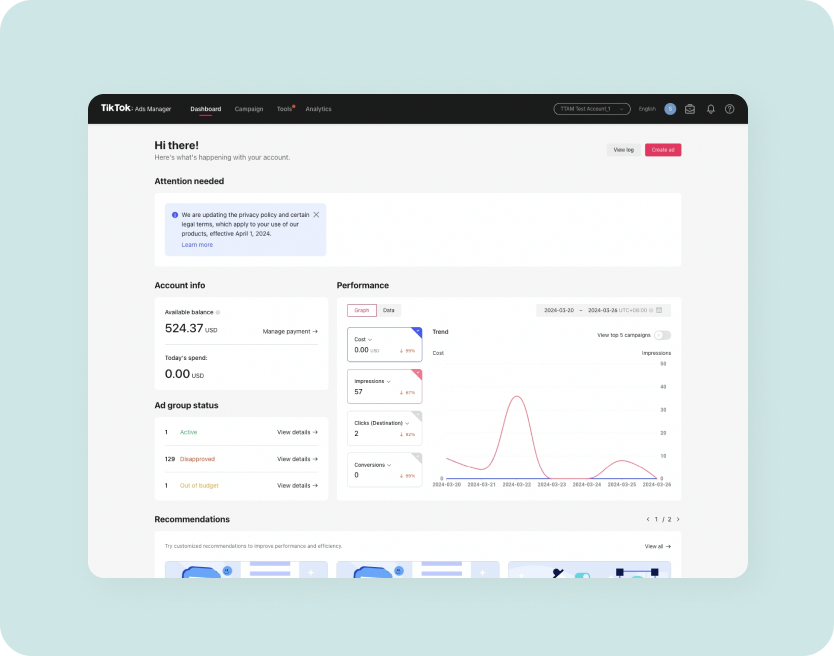
TikTok Ads Manager is the platform where advertisers can create, manage, and track their ad campaigns directly from their mobile devices. It offers a user-friendly interface that allows you to set up different types of ads, including in-feed video ads, brand takeovers, and now, search ads. The key advantage of using the mobile version is the flexibility it provides—you can manage your campaigns on the go, making it ideal for busy marketers.
Setting Up Your TikTok Ads Manager Account

Before diving into creating ads, you need to set up an account. Start by downloading the TikTok app and navigating to the "Ads" section. From there, you'll be prompted to create an ad account. You’ll need to provide basic business information, such as your company name, website, and payment details. Once your account is approved, you can begin setting up your first campaign.
Choosing Your Campaign Objective
When setting up a campaign, the first step is to choose your objective. TikTok offers several options, including Traffic, Conversions, Brand Awareness, and Engagement. For most businesses, Traffic or Conversions are the most relevant. Traffic focuses on driving users to your website, while Conversions aim to get users to take specific actions, such as making a purchase or signing up for a newsletter.
Targeting Your Audience
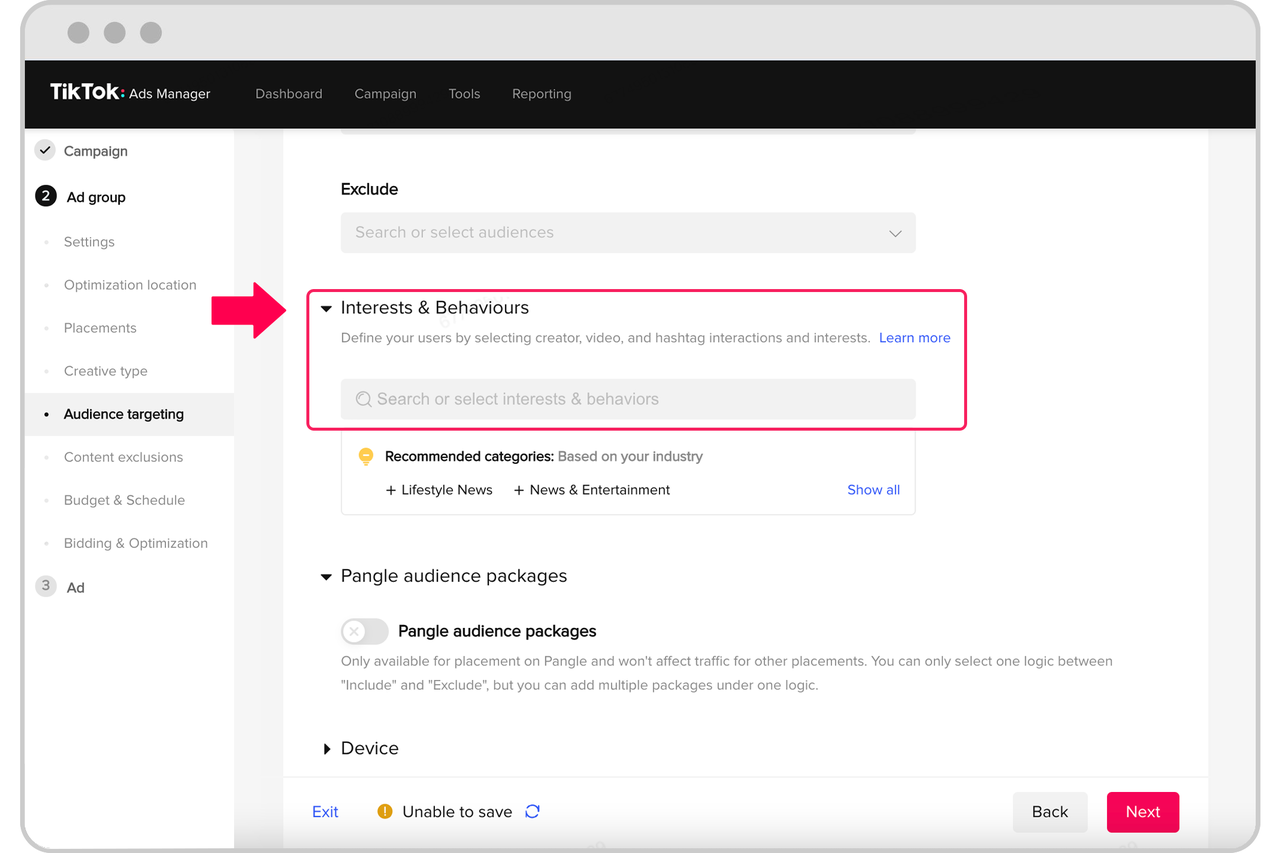
One of the most crucial aspects of any ad campaign is targeting the right audience. TikTok allows you to define your audience based on demographics, interests, behaviors, and even location. This level of customization ensures that your ads are shown to people who are most likely to engage with your content. You can also use TikTok's Creative Center to discover trending keywords and understand what your audience is searching for.
Creating Your Ad Content
Once your audience is defined, it's time to create your ad content. TikTok emphasizes video-first content, so consider creating engaging video ads that align with current trends. You can use free apps like CapCut, Canva, or iMovie to edit your videos. Remember, authenticity is key—users prefer content that feels organic, even if it's a paid promotion.
Launching Your Campaign
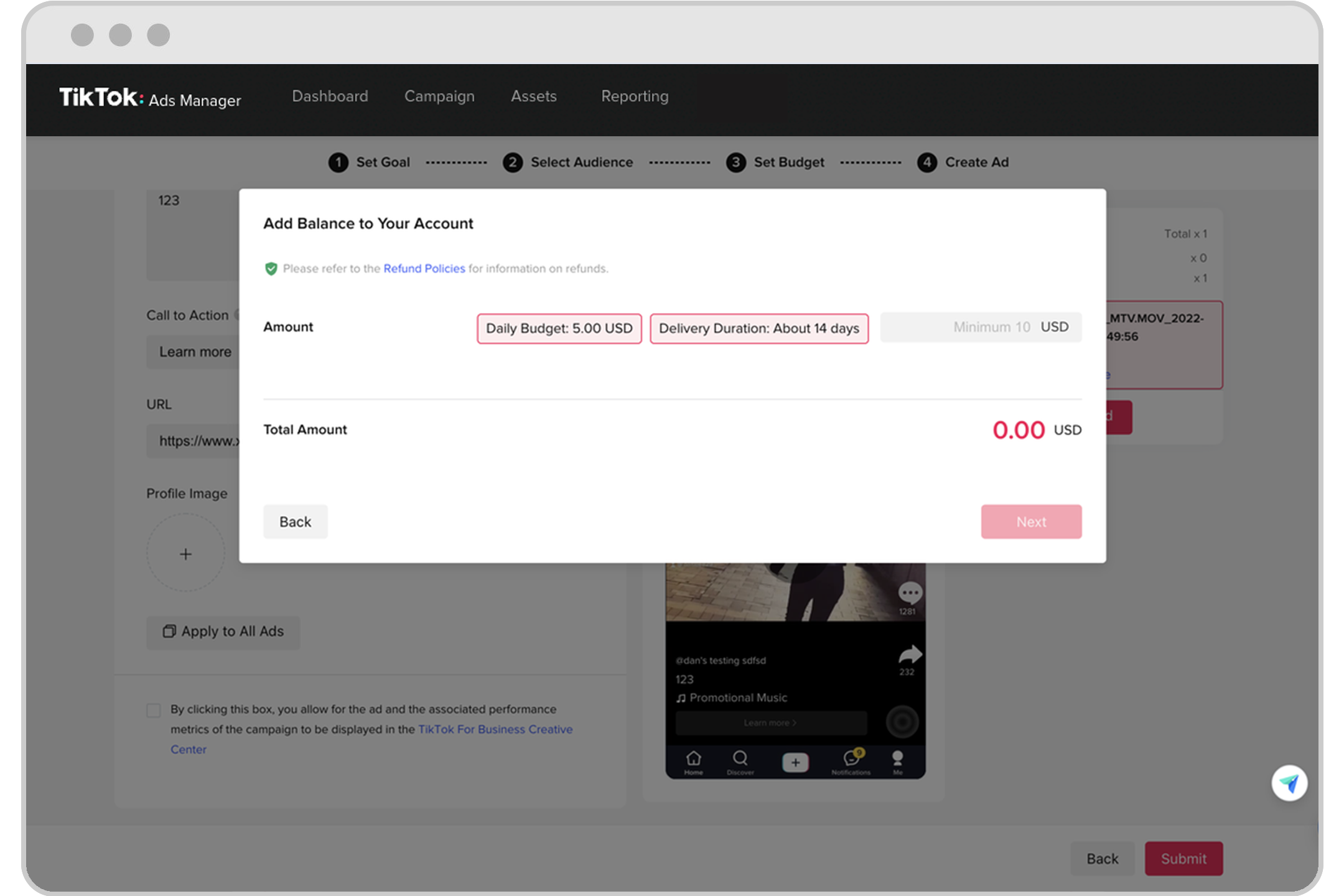
After you've created your ad content, it's time to launch your campaign. In the TikTok Ads Manager, select the "Create New Campaign" option and follow the prompts to upload your ad assets. You can choose between video and image carousel assets, depending on your needs. Make sure to set a budget and schedule for your campaign, and don’t forget to review your settings before submitting.
Monitoring and Optimizing Performance
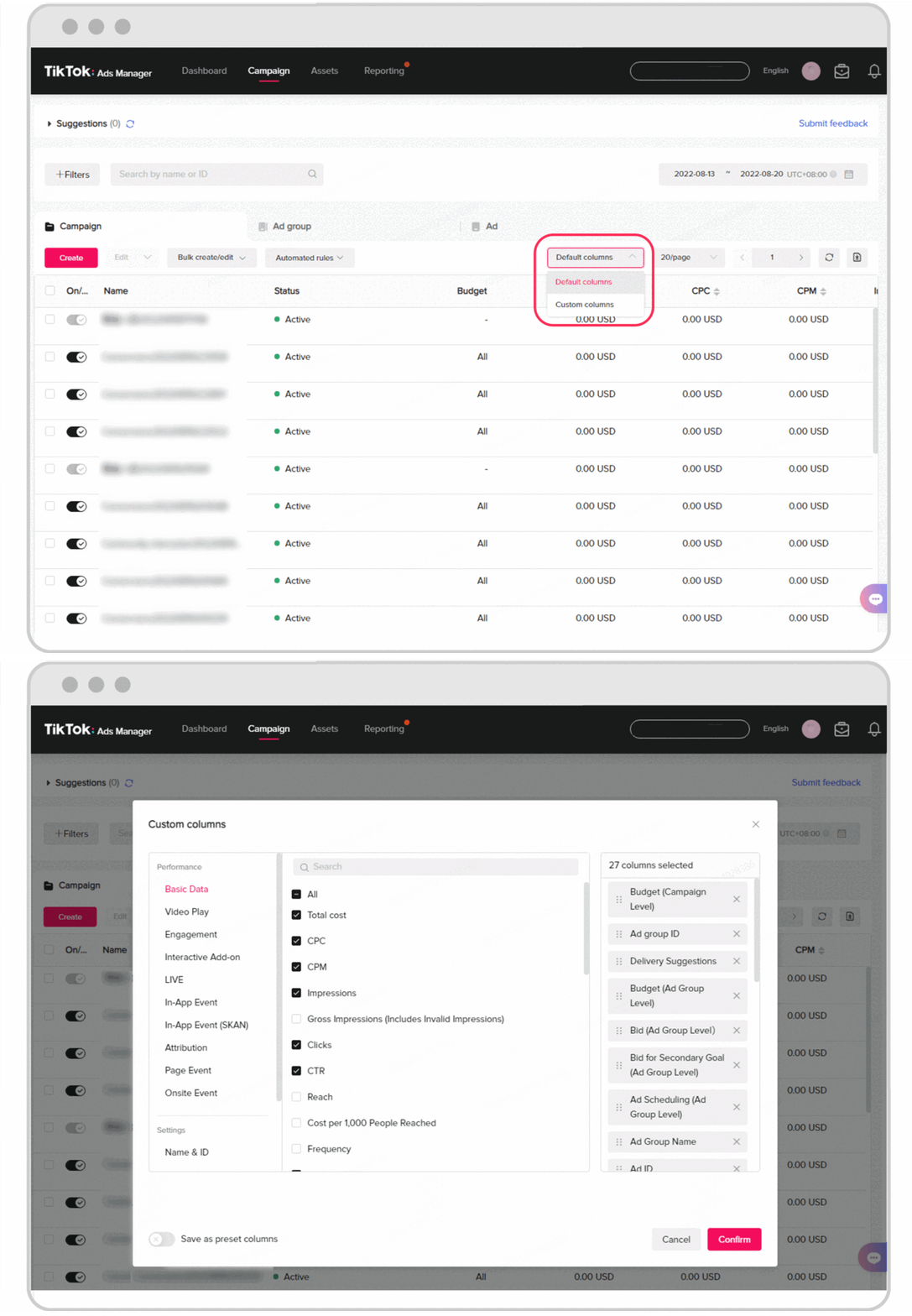
Once your campaign is live, it's important to monitor its performance regularly. TikTok Ads Manager provides insights into key metrics such as impressions, clicks, and conversions. Use this data to refine your campaigns and make adjustments as needed. For example, if a particular ad isn't performing well, consider changing the targeting or adjusting the content.
Leveraging TikTok Search Ads
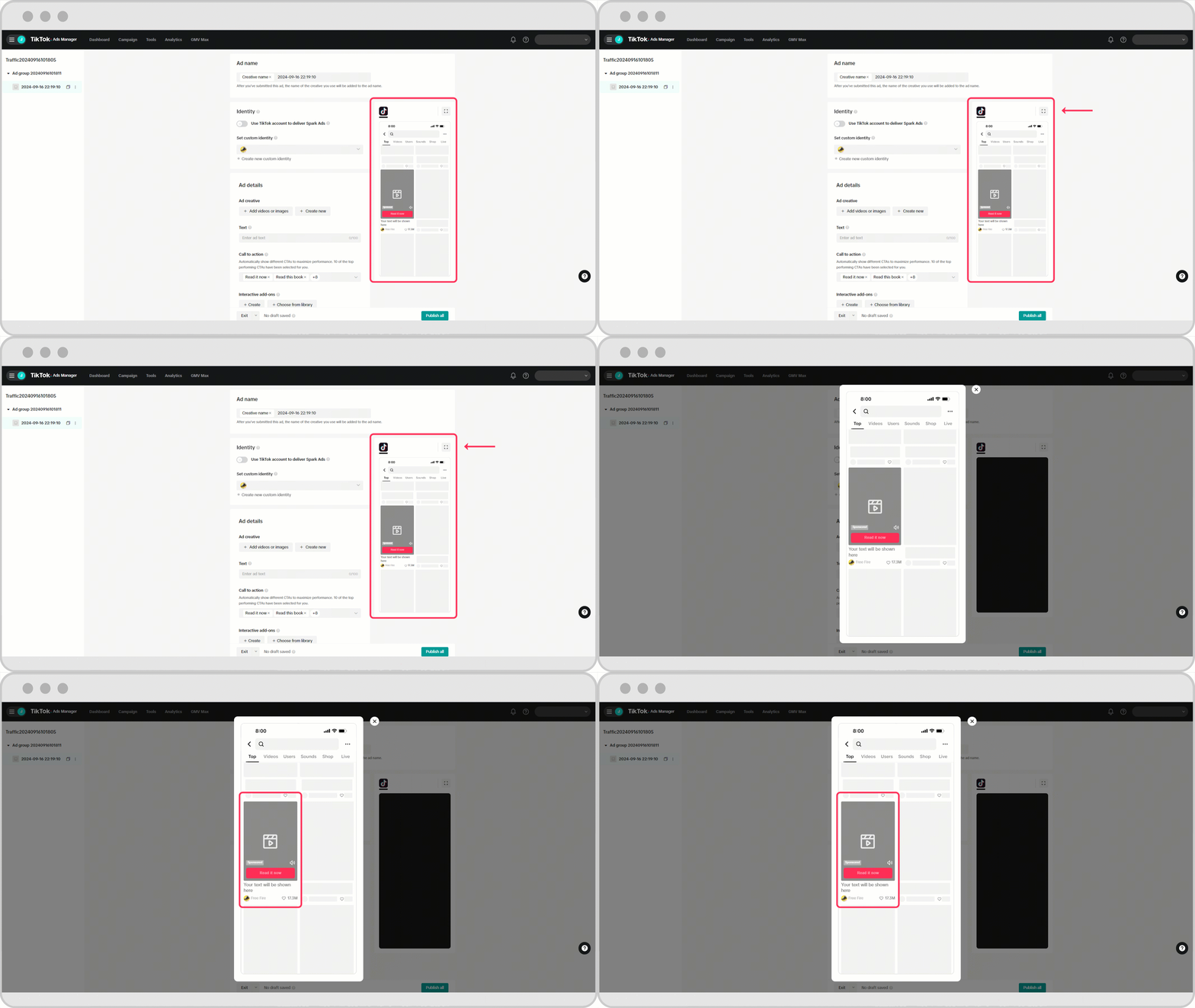
In 2024, TikTok launched the "TikTok Search Ads Campaign," allowing brands to appear in the platform’s search results. This feature is particularly useful for reaching users actively searching for products or information. By targeting relevant keywords, you can increase brand visibility and drive website traffic. To use this feature, navigate to the "Search Ads" section in the TikTok Ads Manager and follow the setup steps.
Common Questions and Practical Insights

Q: How much does it cost to run TikTok ads?
A: TikTok requires a minimum daily spend of $50 per campaign, with an overall minimum of $500 per campaign. However, the actual cost can vary based on your targeting and competition.
Q: Can I use TikTok trends in my ads?
A: Yes, incorporating TikTok trends can help your ads feel more authentic and engaging. Just ensure that the trend aligns with your brand message.
Q: What are the best practices for creating TikTok ads?
A: Focus on creating high-quality, engaging video content that resonates with your audience. Use trending sounds and hashtags to increase visibility.
Conclusion
Using TikTok Ads Manager on mobile is a powerful way to reach a vast and engaged audience. By following the steps outlined in this guide, you can create effective ad campaigns that drive traffic, increase conversions, and boost brand awareness. As TikTok continues to evolve, staying informed about the latest features and trends will help you stay ahead of the competition. Whether you're a seasoned marketer or just starting out, TikTok offers a unique opportunity to connect with your audience in a dynamic and interactive way.
